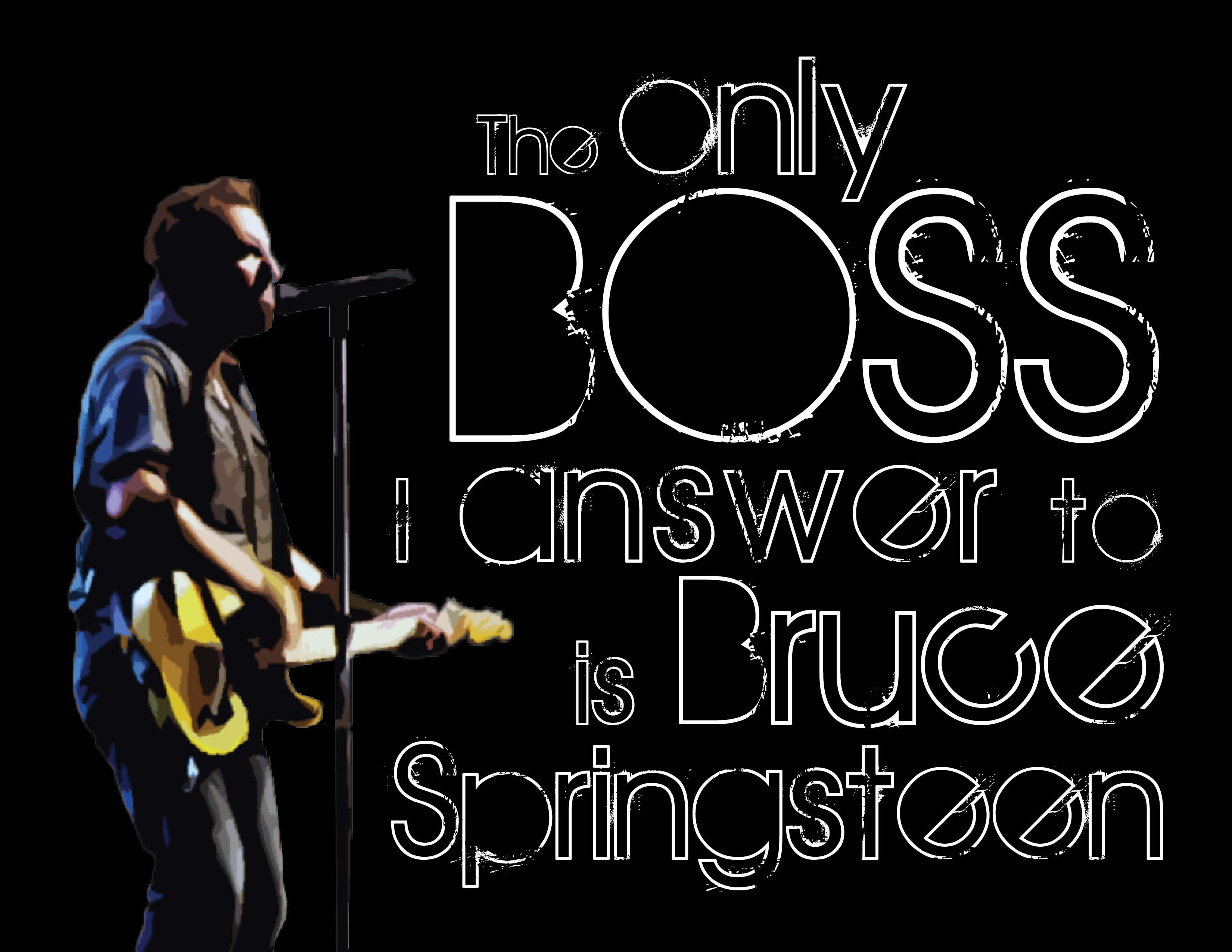
Guess who gets to see Bruce Springsteen again in concert on September 14th!?!?!?!?!?! If you guessed me, you guessed right. I’m extra excited for this concert and I’m pretty much listening to Springsteen 24/7. SOOOOOO… with that being said, I made myself a new background for my computer/ a new print for my craft room so I can be extra extra pumped up! I took a few screen caps along the way to kind of show the process I took to create this awesome piece of art. I am in love.
First, I created a single text box in InDesign and typed my phrase, “The only boss I listen to is Springsteen.”

I pulled up my Mac Font Book and started scrolling through the fonts, choosing different ones I thought might look nice for this piece. I probably went through about 10 of so before picking the one I ended up with (not the one below).
Then, I highlighted the word “boss” and made it all caps using the TT/caps tool in InDesign.

I didn’t screen cap this next part (sorry!). I went to everystockphoto.com and search for Springsteen photos. I found one for free that I downloaded and opened in PhotoShop. I did a quick cutout, removing the other singers and background so only Springsteen, his guitar and his microphone stand are visible. I then applied a filter to the image so it looks a little like water color paint. I really liked the effect, so I saved my PSD file and imported it into InDesign.
I also changed the wording up a bit, swapping in “answer” for “listen” and adding “Bruce.” The original saying I’d seen before (I bought my Dad a T-shirt with it on it, actually!), so I tweaked it to make it my own version.

Once I got the Boss in there, I hated the font I originally chose, so I switched to the font I ended up with: The Maple Origins.
I then started breaking my text up, creating individual text boxes for almost each word to allow me to space them the way I wanted them to look. That also allowed me to change the font size of individual words instead of groups of words.
Once that was complete, it needed something else. I created a black background and turned the text white to accomplish this look (if you look closely you can see the text boxes and guides I used).

Once I was happy with all of the spacing, I exported my file to a JPEG, and tada! Isn’t it awesome!?
If you are not a Springsteen fan, you probably won’t care much about this. But hopefully you can use some of the steps to create your own works of art using InDesign. There’s so much you can do!

What do you think? Awesome, right?
Gotta love the Boss 🙂


 A Smith of All Trades